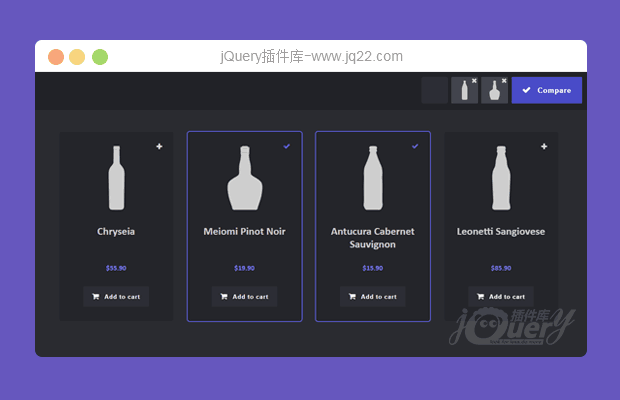


插件描述:响应式网格商品展示及加入购物车界面布局。该网格布局界面使用flexbox来制作商品的网格布局。通过每个商品面板右上角的“+”号可以将该商品添加到比较列表中,最多可以添加3个比较商品。在比较界面会以三列展示出商品的详细信息,用户可以对商品进行性价比较。
响应式网格商品展示及加入购物车效果
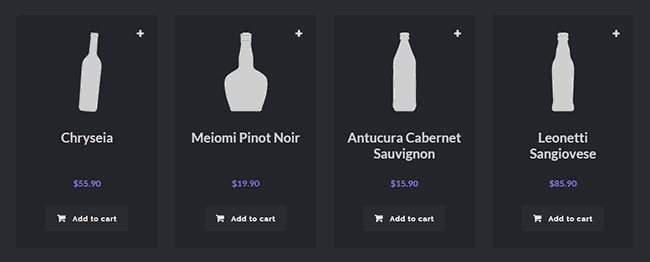
商品展示网格布局:
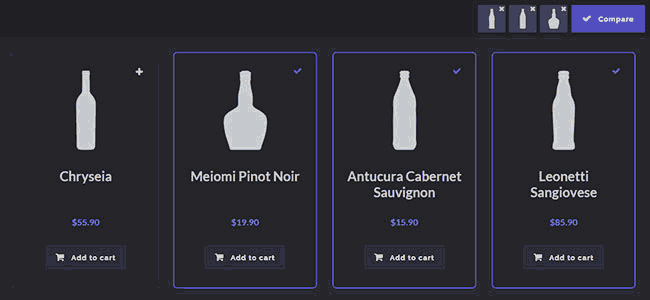
添加要比较的商品界面截图:
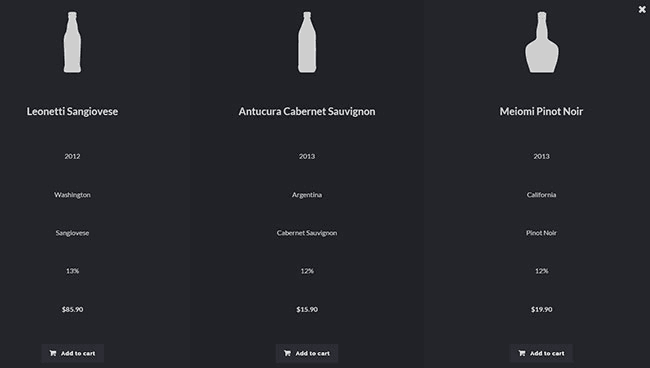
三种商品详细信息比较的界面:
实现方法
HTML结构
该商品比较的HTML结构如下:
<!-- Compare basket -->
<div class="compare-basket">
  <!-- comparison item miniatures come here -->
  <button class="action action--button action--compare"><i class="fa fa-check"></i><span class="action__text">Compare</span></button>
</div>
<!-- Main view -->
<div class="view">
  <!-- Blueprint header -->
  <header class="bp-header cf"><!-- ... --></header>
  <!-- Product grid -->
  <section class="grid">
    <!-- Products -->
    <div class="product">
      <div class="product__info">
        <img class="product__image" src="images/1.png" alt="Product 1" />
        <h3 class="product__title">Chryseia</h3>
        <span class="product__year extra highlight">2011</span>
        <span class="product__region extra highlight">Douro</span>
        <span class="product__varietal extra highlight">Touriga Nacional</span>
        <span class="product__alcohol extra highlight">13%</span>
        <span class="product__price highlight">$55.90</span>
        <button class="action action--button action--buy">
          <i class="fa fa-shopping-cart"></i>
          <span class="action__text">Add to cart</span>
        </button>
      </div>
      <label class="action action--compare-add">
        <input class="check-hidden" type="checkbox" />
        <i class="fa fa-plus"></i>
        <i class="fa fa-check"></i>
        <span class="action__text action__text--invisible">Add to compare</span>
      </label>
    </div>
    <div class="product">
      <!-- ... -->
    </div>
    <div class="product">
      <!-- ... -->
    </div>
    <!-- ... -->
    </section>
</div><!-- /view -->
<!-- product compare wrapper -->
<section class="compare">
  <!-- comparison items come here -->
  <button class="action action--close"><i class="fa fa-remove"></i><span class="action__text action__text--invisible">Close comparison overlay</span></button>
</section>
<script src="js/classie.js"></script>
<script src="js/main.js"></script>
详细的CSS和js文件请参考下载文件。
PREVIOUS:
NEXT:
相关插件-布局
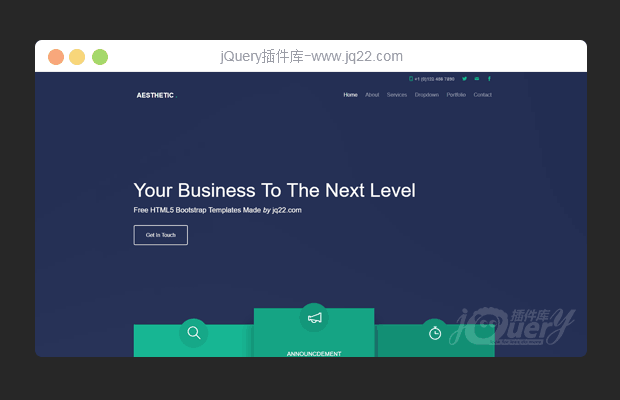
jQuery bootstrap响应式网站模板
jQuery bootstrap响应式网站模板,它具有下拉菜单,移动画布菜单,流畅的动画,旋转轮播图,jQuery计数器等功能。 使用最新技术构建,如HTML5,CSS3,和jQuery。
布局

讨论这个项目(2)回答他人问题或分享插件使用方法奖励jQ币 评论用户自律公约


😃
- 😀
- 😉
- 😥
- 😵
- 😫
- 😘
- 😡
- 👍
- 🌹
- 👏
- 🍺
- 🍉
- 🌙
- ⭐
- 💖
- 💔
😃
取消回复
- 😀
- 😉
- 😥
- 😵
- 😫
- 😘
- 😡
- 👍
- 🌹
- 👏
- 🍺
- 🍉
- 🌙
- ⭐
- 💖
- 💔
