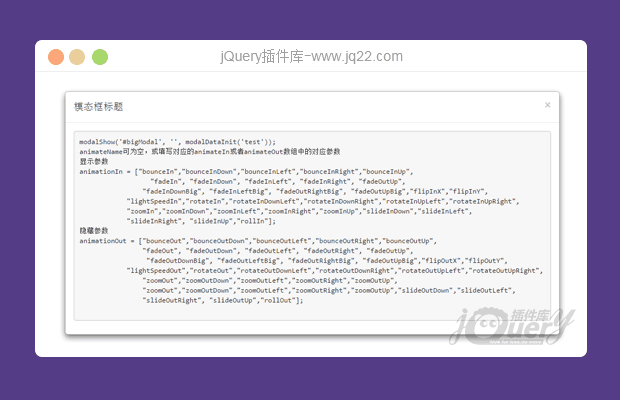


插件描述:基于bootstrap和animate.css的模态框效果,可以自定义显示隐藏的动态效果,可添加显示和隐藏时的回调方法,填充数据
使用方法
第一步:引入css文件,此处为引入网站资源,自己可以下载到本地调用
<!-- 新 Bootstrap 核心 CSS 文件 -->
<link rel="stylesheet" href="https://cdnjs.cloudflare.com/ajax/libs/animate.css/3.5.2/animate.min.css">
第二步:引入js
<!-- jQuery文件。务必在bootstrap.min.js 之前引入 -->
<script src="http://cdn.bootcss.com/jquery/1.11.1/jquery.min.js"></script>
<!-- 最新的 Bootstrap 核心 JavaScript 文件 -->
<script src="http://cdn.bootcss.com/bootstrap/3.3.0/js/bootstrap.min.js"></script>
第三步:自定义方法,可添加到自定义全局js文件中
<script>
        //animate.css动画触动一次方法
        $.fn.extend({
            animateCss: function (animationName) {
                var animationEnd = 'webkitAnimationEnd mozAnimationEnd MSAnimationEnd oanimationend animationend';
                this.addClass('animated ' + animationName).one(animationEnd, function() {
                    $(this).removeClass('animated ' + animationName);
                });
            }
        });
        /**
         * 显示模态框方法
         * @param targetModel 模态框选择器,jquery选择器
         * @param animateName 弹出动作
         * @ callback 回调方法
         */
        var modalShow = function(targetModel, animateName, callback){
            var animationIn = ["bounceIn","bounceInDown","bounceInLeft","bounceInRight","bounceInUp",
                  "fadeIn", "fadeInDown", "fadeInLeft", "fadeInRight", "fadeOutUp",
                "fadeInDownBig", "fadeInLeftBig", "fadeOutRightBig", "fadeOutUpBig","flipInX","flipInY",
            "lightSpeedIn","rotateIn","rotateInDownLeft","rotateInDownRight","rotateInUpLeft","rotateInUpRight",
            "zoomIn","zoomInDown","zoomInLeft","zoomInRight","zoomInUp","slideInDown","slideInLeft",
            "slideInRight", "slideInUp","rollIn"];
            if(!animateName || animationIn.indexOf(animateName)==-1){
                console.log(animationIn.length);
                var intRandom =  Math.floor(Math.random()*animationIn.length);
                animateName = animationIn[intRandom];
            }
            console.log(targetModel + " " + animateName);
            $(targetModel).show().animateCss(animateName);
            callback.apply(this);
        }
        /**
         * 隐藏模态框方法
         * @param targetModel 模态框选择器,jquery选择器
         * @param animateName 隐藏动作
         * @ callback 回调方法
         */
        var modalHide = function(targetModel, animateName, callback){
            var animationOut = ["bounceOut","bounceOutDown","bounceOutLeft","bounceOutRight","bounceOutUp",
                "fadeOut", "fadeOutDown", "fadeOutLeft", "fadeOutRight", "fadeOutUp",
                 "fadeOutDownBig", "fadeOutLeftBig", "fadeOutRightBig", "fadeOutUpBig","flipOutX","flipOutY",
            "lightSpeedOut","rotateOut","rotateOutDownLeft","rotateOutDownRight","rotateOutUpLeft","rotateOutUpRight",
                "zoomOut","zoomOutDown","zoomOutLeft","zoomOutRight","zoomOutUp",
                "zoomOut","zoomOutDown","zoomOutLeft","zoomOutRight","zoomOutUp","slideOutDown","slideOutLeft",
                "slideOutRight", "slideOutUp","rollOut"];
            if(!animateName || animationOut.indexOf(animateName)==-1){
                console.log(animationOut.length);
                var intRandom =  Math.floor(Math.random()*animationOut.length);
                animateName = animationOut[intRandom];
            }
            $(targetModel).children().click(function(e){e.stopPropagation()});
            $(targetModel).animateCss(animateName);
            $(targetModel).delay(900).hide(1,function(){
                $(this).removeClass('animated ' + animateName);
            });
            callback.apply(this);
        }
        var modalDataInit = function(info){
            //alert(info);
            //填充数据,对弹出模态框数据样式初始化或修改
        }
</script>
以下是html代码
<button type="button" class="btn btn-primary  test-btn" onclick="modalShow('#bigModal', '', modalDataInit('test'));">
	模态框测试
</button>
<div class="modal bs-example-modal-lg" onclick="modalHide('#bigModal', '');"
id="bigModal">
	<div class="modal-dialog modal-lg">
		<div class="modal-content">
			<div class="modal-header">
				<button type="button" onclick="modalHide('#bigModal', '');" class="close"
				data-dismiss="modal">
					<span aria-hidden="true">
						×
					</span>
					<span class="sr-only">
						Close
					</span>
				</button>
				<h4 class="modal-title">
					模态框标题
				</h4>
			</div>
			<div class="modal-body">
			</div>
		</div>
	</div>
</div>
PREVIOUS:
NEXT:
相关插件-弹出层



讨论这个项目(12)回答他人问题或分享插件使用方法奖励jQ币 评论用户自律公约


blackstarry 0
2017/8/12 12:16:39
在刚开始或刷新页面时,点击对话框会自动隐藏,添加这句会解决。
$(function(){
$('#bigModal').children().click(function(e){e.stopPropagation()});
});
回复
摩羯座de杰杰陆 0
2017/7/31 13:16:53
"Uncaught TypeError: Cannot read property 'apply' of undefined" /BootstrapModal413020161123/BootstrapModal/index.html (77)
下载的例子中是“call”替换成“apply”方法后还是报错,请问是什么原因
回复

亚伯拉罕 0
2016/11/28 14:11:04
-
移动端拖动的时候貌似会拖动下面的内容,而不是拖动模态框里面的内容,该怎么修改这个呢?

追逐明天1
2016/11/28 15:11:50
这个是因为bootstrap默认的模态框窗口的样式
.model{overflow:hidden}导致的,你在自己的样式中覆盖bootstrap默认样式就好如添加
.bigModal{overflow:auto}它就可以滚动了
😃
- 😀
- 😉
- 😥
- 😵
- 😫
- 😘
- 😡
- 👍
- 🌹
- 👏
- 🍺
- 🍉
- 🌙
- ⭐
- 💖
- 💔
😃
取消回复
- 😀
- 😉
- 😥
- 😵
- 😫
- 😘
- 😡
- 👍
- 🌹
- 👏
- 🍺
- 🍉
- 🌙
- ⭐
- 💖
- 💔
