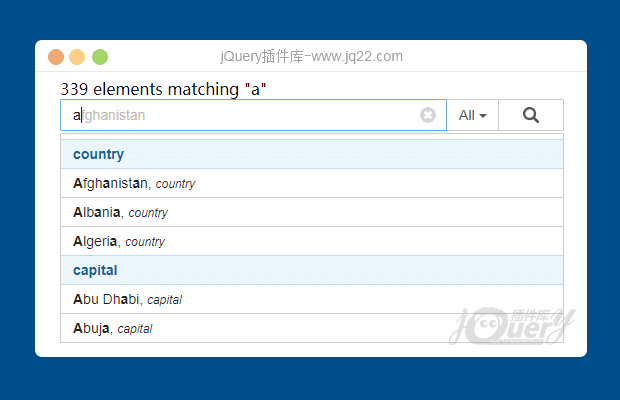


插件描述:jQuery Typeahead插件为搜索输入提供了自动完成预览, 类似于百度、google 搜索与内置选项和深度定制。这是一个简单的客户端库, 将添加更好的用户体验到您的网站搜索功能中
jQuery Typeahead
jQuery Typeahead, 通过相同的域 ajax 或跨域 jsonp 提供 typeahead (自动完成) 搜索预览, 并在本地存储中提供数据压缩。该插件是建立了很多选项和回调, 以允许自定义。
使用方法
要求jquery 1.7.2以上版本,和typeahead
<html>
<head>
    ...
    <!-- Optional CSS -->
    <linkrel="stylesheet"href="/vendor/jquery-typeahead/dist/jquery.typeahead.min.css">
    <!-- Required JavaScript -->
    <script src="http://www.jq22.com/jquery/jquery-1.10.2.js"></script>
    <scriptsrc="/vendor/jquery-typeahead/dist/jquery.typeahead.min.js"></script>
    ...
</head>
初始化
有2种方法可以初始化 typeahead 搜索:
1、调用 typeahead () theinputoption 配置的函数 [推荐]
$.typeahead({
    input:".js-typeahead",
    order:"asc",
    source: {
        groupName: {
            // Ajax Request
            ajax: {
                url:"..."
            }
        }
    },
    callback: {
        onClickBefore:function() { ... }
    }
});
2、使用独特 inputselector 创建一个 jquery 对象。然后链 typeahead () 函数包含参数作为一个对象。
$('.js-typeahead').typeahead({
    order:"asc",
    source: {
        groupName: {
            // Array of Objects / Strings
            data: [ {...}, {...} ]
        }
    },
    callback: {
        onInit:function() { ... }
    }
});
html 结构和 css
typeahead 插件需要一个特定的 html 结构。这提供了一些优点:
轻松的 html 集成
默认样式使用 /dist/jquery.typeahead.min.css
Bootstrap 3 and 4 ready
* 2.5.0 typeahead 使用 theBEMcss 标准
<form>
    <divclass="typeahead__container">
        <divclass="typeahead__field">
            <spanclass="typeahead__query">
                <inputclass="js-typeahead"
                       name="q"
                       type="search"
                       autocomplete="off">
            </span>
            <spanclass="typeahead__button">
                <buttontype="submit">
                    <spanclass="typeahead__search-icon"></span>
                </button>
            </span>
        </div>
    </div>
</form>
配置
用户的配置对象将与默认的插件配置合并。
/**
 * @private
 * Default options
 */
var_options = {
    input:null,// *RECOMMENDED*, jQuery selector to reach Typeahead's input for initialization
    minLength: 2,// Accepts 0 to search on focus, minimum character length to perform a search
    maxLength:false,// False as "Infinity" will not put character length restriction for searching results
    maxItem: 8,// Accepts 0 / false as "Infinity" meaning all the results will be displayed
    dynamic:false,// When true, Typeahead will get a new dataset from the source option on every key press
    delay: 300,// delay in ms when dynamic option is set to true
    order:null,// "asc" or "desc" to sort results
    offset:false,// Set to true to match items starting from their first character
    hint:false,// Added support for excessive "space" characters
    accent:false,// Will allow to type accent and give letter equivalent results, also can define a custom replacement object
    highlight:true,// Added "any" to highlight any word in the template, by default true will only highlight display keys
    group:false,// Improved feature, Boolean,string,object(key, template (string, function))
    groupOrder:null,// New feature, order groups "asc", "desc", Array, Function
    maxItemPerGroup:null,// Maximum number of result per Group
    dropdownFilter:false,// Take group options string and create a dropdown filter
    dynamicFilter:null,// Filter the typeahead results based on dynamic value, Ex: Players based on TeamID
    backdrop:false,// Add a backdrop behind Typeahead results
    backdropOnFocus:false,// Display the backdrop option as the Typeahead input is :focused
    cache:false,// Improved option, true OR 'localStorage' OR 'sessionStorage'
    ttl: 3600000,// Cache time to live in ms
    compression:false,// Requires LZString library
    searchOnFocus:false,// Display search results on input focus
    blurOnTab:true,// Blur Typeahead when Tab key is pressed, if false Tab will go though search results
    resultContainer:null,// List the results inside any container string or jQuery object
    generateOnLoad:null,// Forces the source to be generated on page load even if the input is not focused!
    mustSelectItem:false,// The submit function only gets called if an item is selected
    href:null,// String or Function to format the url for right-click & open in new tab on link results
    display: ["display"],// Allows search in multiple item keys ["display1", "display2"]
    template:null,// Display template of each of the result list
    templateValue:null,// Set the input value template when an item is clicked
    groupTemplate:null,// Set a custom template for the groups
    correlativeTemplate:false,// Compile display keys, enables multiple key search from the template string
    emptyTemplate:false,// Display an empty template if no result
    cancelButton:true,// If text is detected in the input, a cancel button will be available to reset the input (pressing ESC also cancels)
    loadingAnimation:true,// Display a loading animation when typeahead is doing request / searching for results
    filter:true,// Set to false or function to bypass Typeahead filtering. WARNING: accent, correlativeTemplate, offset & matcher will not be interpreted
    matcher:null,// Add an extra filtering function after the typeahead functions
    source:null,// Source of data for Typeahead to filter
    callback: {
        onInit:null,// When Typeahead is first initialized (happens only once)
        onReady:null,// When the Typeahead initial preparation is completed
        onShowLayout:null,// Called when the layout is shown
        onHideLayout:null,// Called when the layout is hidden
        onSearch:null,// When data is being fetched & analyzed to give search results
        onResult:null,// When the result container is displayed
        onLayoutBuiltBefore:null,// When the result HTML is build, modify it before it get showed
        onLayoutBuiltAfter:null,// Modify the dom right after the results gets inserted in the result container
        onNavigateBefore:null,// When a key is pressed to navigate the results, before the navigation happens
        onNavigateAfter:null,// When a key is pressed to navigate the results
        onMouseEnter:null,// When the mouse enter an item in the result list
        onMouseLeave:null,// When the mouse leaves an item in the result list
        onClickBefore:null,// Possibility to e.preventDefault() to prevent the Typeahead behaviors
        onClickAfter:null,// Happens after the default clicked behaviors has been executed
        onDropdownFilter:null,// When the dropdownFilter is changed, trigger this callback
        onSendRequest:null,// Gets called when the Ajax request(s) are sent
        onReceiveRequest:null,// Gets called when the Ajax request(s) are all received
        onPopulateSource:null,// Perform operation on the source data before it gets in Typeahead data
        onCacheSave:null,// Perform operation on the source data before it gets in Typeahead cache
        onSubmit:null,// When Typeahead form is submitted
        onCancel:null// Triggered if the typeahead had text inside and is cleared
    },
    selector: {
        container:"typeahead__container",
        result:"typeahead__result",
        list:"typeahead__list",
        group:"typeahead__group",
        item:"typeahead__item",
        empty:"typeahead__empty",
        display:"typeahead__display",
        query:"typeahead__query",
        filter:"typeahead__filter",
        filterButton:"typeahead__filter-button",
        dropdown:"typeahead__dropdown",
        dropdownItem:"typeahead__dropdown-item",
        button:"typeahead__button",
        backdrop:"typeahead__backdrop",
        hint:"typeahead__hint",
        cancelButton:"typeahead__cancel-button"
    },
    debug:false// Display debug information (RECOMMENDED for dev environment)
};
PREVIOUS:
NEXT:
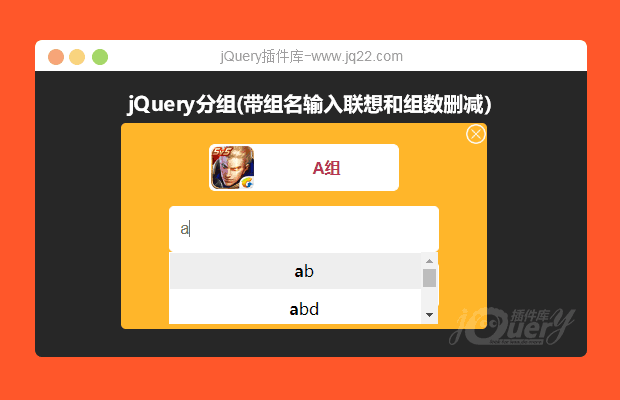
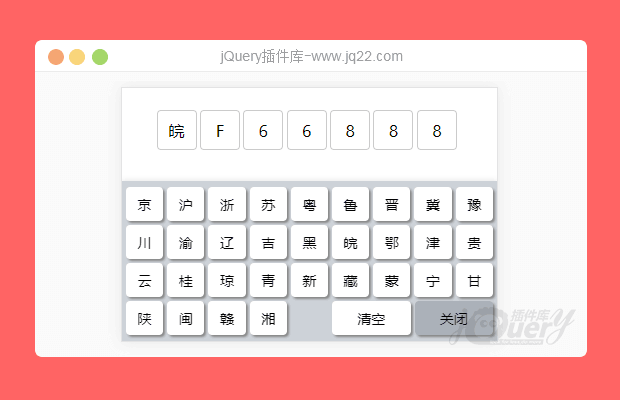
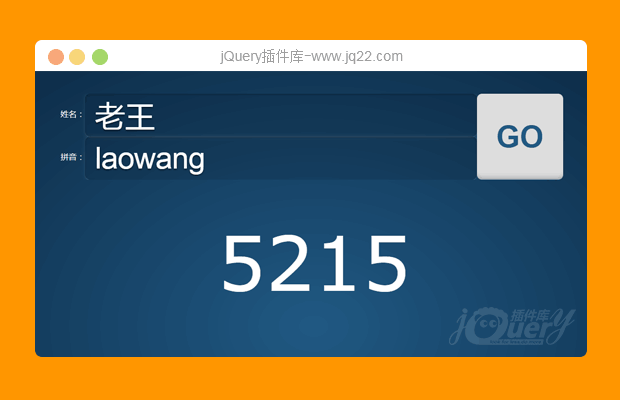
相关插件-自动完成,搜索
讨论这个项目(12)回答他人问题或分享插件使用方法奖励jQ币 评论用户自律公约

泡泡 0
2020/11/20 11:08:14
-
输入第一个关键词比如“茅”后提示了后续的“台”,这样茅台就是一个关键词,如何空格继续搜索呢?在“茅台”后空格一下 再输入“劲”实现提示“劲酒”,以此类推多个关键词同时在搜索框中并空格间隔
回复


万大晨 0
2018/1/9 17:00:34
var data = {
    "ale": [
        "<a href='http://www.baidu.com'>百度</a>",
    ]
};
搜索之后点击显示在input中的时候不让它a连接的地址一块显示在input中

北 乐0
2018/3/27 18:15:01
-
这个插件怎样用 ajax 动态的加载数据呢

。0
2019/7/28 17:49:37
-
老哥

墨 0
2017/9/22 19:37:33
用的有点别扭小小的改进了下。
功能描述:点击搜索框以外的区域,隐藏下拉列表
  $(document).bind("click", function(e) {
      if (!$(e.target).hasClass('js-typeahead-countries')) {
          if ($(e.target).closest(".typeahead__list").length != 0) return;
          $('.typeahead__list').hide();
      }
  })

qzuser0
2017/10/18 21:33:35
谢谢分享

颤0
2018/1/7 16:50:24
xiexie

杰诺斯0
2018/6/11 9:25:53
-
谢谢分享
😃
- 😀
- 😉
- 😥
- 😵
- 😫
- 😘
- 😡
- 👍
- 🌹
- 👏
- 🍺
- 🍉
- 🌙
- ⭐
- 💖
- 💔
😃
取消回复
- 😀
- 😉
- 😥
- 😵
- 😫
- 😘
- 😡
- 👍
- 🌹
- 👏
- 🍺
- 🍉
- 🌙
- ⭐
- 💖
- 💔
