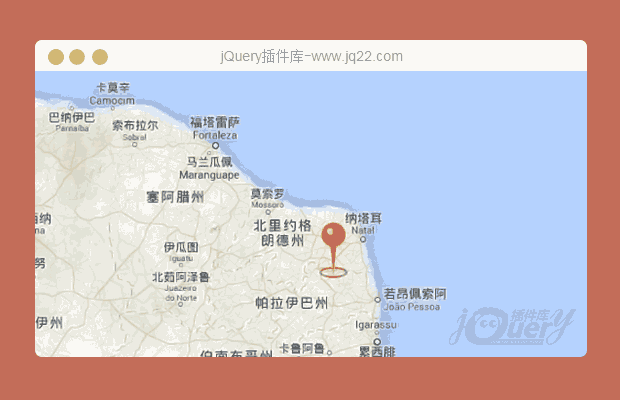


插件描述:Maplace.js帮助你嵌入你的网站,谷歌地图,快速创建标记和控制菜单在地图上的位置。
非常小的谷歌地图jQuery插件
Maplace.js帮助你嵌入你的网站,谷歌地图,快速创建标记和控制菜单在地图上的位置。
需要jQuery的谷歌地图API v3的在您的网页。
特点
直接实现简单的选项
可以运行所需的许多地图
标记和自定义图标,缩放级别和自定义控件菜单
支持方向,多边形,折线,融合表和风格的地图
作品在所有主要浏览器,包括IE6(这个网站没有这么多)
使用步骤
下载最新版本的Maplace.js,包括谷歌地图API v3和jQuery一起。
<script src="http://maps.google.com/maps/api/js?sensor=false&libraries=geometry&v=3.7">
</script>
<script src="http://code.jquery.com/jquery-1.9.0.min.js"></script>
<script src="maplace.min.js"></script>
HTML
现在你可以创建地图。
<script type="text/javascript">
$(function() {
	new Maplace({
		locations: [{...}, {...}],
		controls_on_map: false
	}).Load();
});
</script>
如果你想为中心的单一位置的地图上没有任何标记,你有两种选择:
new Maplace({
	show_markers: false,
	locations: [{
		lat: 45.9,
		lon: 10.9,
		zoom: 8
	}]
}).Load();

//or

new Maplace({
	map_options: {
		set_center: [45.9, 10.9],
		zoom: 8
	}
}).Load()
添加一个新的菜单类型
var html_checks = {
		//required: called by Maplace.js to activate the current voice on menu
		activateCurrent: function(index) {
				this.html_element.find("input[value='" + index + "']").attr('checked', true);
		},
		//required: called by Maplace.js to get the html of the menu
		getHtml: function() {
				var self = this,
						html = '';

				//if more than one location
				if(this.ln > 1) {
						html += '<div class="checkbox controls ' + this.o.controls_cssclass + '">';

						//check "view all" link
						//use ShowOnMenu(index) to know if a location has to appear on menu
						if(this.ShowOnMenu(this.view_all_key)) {
								html += '<label><input type="radio" name="gmap" value="'
										 + this.view_all_key + '"/>' + this.o.view_all_text + '</label>';
						}

						//iterate the locations
						for (var a = 0; a < this.ln; a++) {
								if(this.ShowOnMenu(a))
									html += '<label><input type="radio" name="gmap" value="' + (a+1) + '"/>'
											 + (this.o.locations[a].title || ('#' + (a+1))) + '</label>';
						}
						html += '</div>';
				}

				this.html_element = $('<div class="wrap_controls"></div>').append(html);

				//event on change
				//use ViewOnMap(index) to trigger the marker on map
				this.html_element.find('input[type=radio]').bind('change', function() {
						self.ViewOnMap(this.value);
				});

				return this.html_element;
		}
};
//new Maplace object
var maplace = new Maplace();

//add the new menu with the method AddControl(name, function)
maplace.AddControl('checks', html_checks);

//load the map
maplace.Load({
	controls_type: 'checks',
	locations: [{...}, {...}]
});
PREVIOUS:
NEXT:
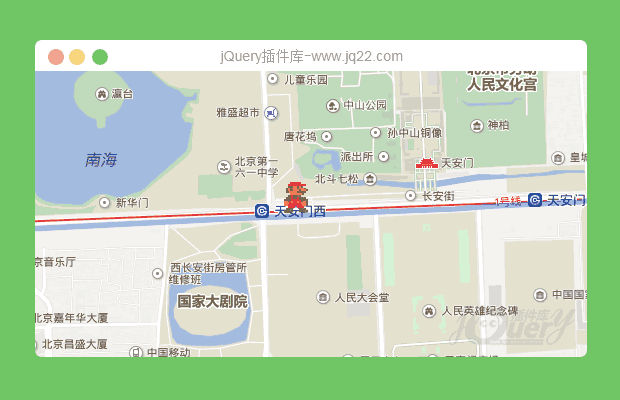
相关插件-地图
讨论这个项目(10)回答他人问题或分享插件使用方法奖励jQ币 评论用户自律公约


😃
- 😀
- 😉
- 😥
- 😵
- 😫
- 😘
- 😡
- 👍
- 🌹
- 👏
- 🍺
- 🍉
- 🌙
- ⭐
- 💖
- 💔
😃
取消回复
- 😀
- 😉
- 😥
- 😵
- 😫
- 😘
- 😡
- 👍
- 🌹
- 👏
- 🍺
- 🍉
- 🌙
- ⭐
- 💖
- 💔
