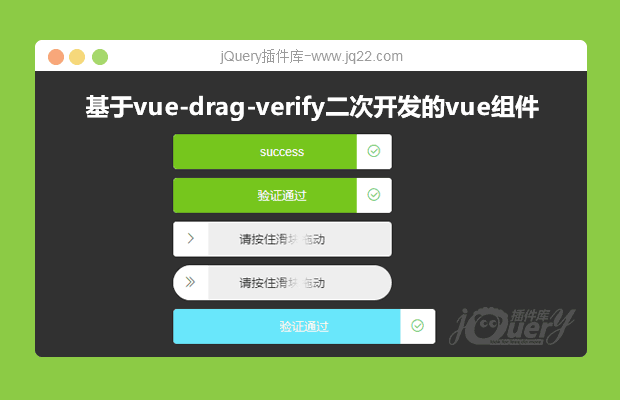


插件描述:基于vue-drag-verify二次开发的vue组件,一款满足日常使用的vue滑块验证组件
更新时间:2020-02-04 23:03:00
基于vue-drag-verify二次开发的vue组件
需对父元素或html设置user-select: none
使用方法
import dragVerify from 'dragVerify'
export default {
  name: 'app',
  components:{
    dragVerify
  }
}
<drag-verify
  ref="dragVerify"
  :isPassing.sync="isPassing2"
  text="请按住滑块拖动"
  successText="验证通过"
  handlerIcon="el-icon-d-arrow-right"
  successIcon="el-icon-circle-check"
  >
</drag-verify>
属性
| width | 宽度 | number | - | 250 |
| height | 高度 | number | - | 40 |
| text | 初始文字 | string | - | swiping to the right side |
| successText | 成功提示文字 | string | - | success |
| background | 滑块右侧背景色 | string | #eee / red / rgba(52,52,52,0.7) | #eee |
| progressBarBg | 滑块左侧背景色 | string | #76c61d / white / rgba(52,52,52,0.7) | #76c61d |
| handlerBg | 滑块背景色 | string | #fff / white / rgb(255,255,255) | #fff |
| completedBg | 验证通过背景色 | string | #76c61d / white / rgba(52,52,52,0.7) | #76c61d |
| circle | 两侧是否圆形 | boolean | true / false | false |
| radius | 圆角 | string | 4px / 4% | 4px |
| handlerIcon | 滑块未验证通过时的图标,根据所选框架设置不同class | string | el-icon-d-arrow-right | - |
| successIcon | 滑块验证通过时的图标,根据所选框架设置不同class | string | el-icon-circle-check | - |
| textSize | 文字大小 | string | 14px / 4em | 14px |
| textColor | 文字颜色 | string | #333 / gray / rgb(52,52,52) | #333 |
Slots
| textBefore | 提示文字前 |
| textAfter | 提示文字后 |
方法
| reset | 还原未验证通过时的状态 | - |
PREVIOUS:
NEXT:
相关插件-验证,拖和放
JQUERY form表单验证
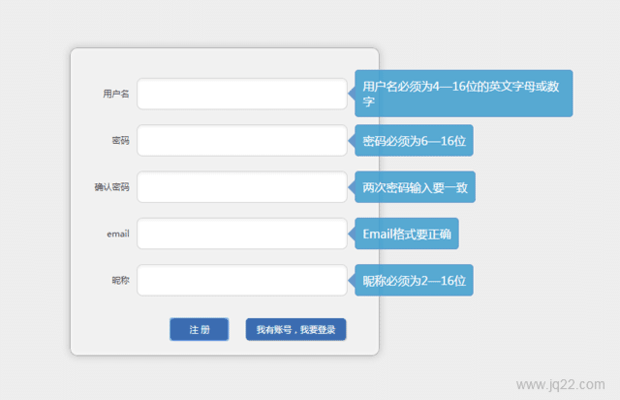
easy将是一个系列的库 目前只有一个文件easyform,包含3个类,easytip : tooltip控件,支持灵活的配置。easyinput : 单个input验证控件easyform :表单验证控件
验证

讨论这个项目(6)回答他人问题或分享插件使用方法奖励jQ币 评论用户自律公约


Morning,? 0
2020/4/15 17:27:48
-
请问 有没有 源码~~

南洋大师傅0
2020/4/16 13:39:42
-
【查看演示】右侧【website】是github地址
ps:上传时是有vue文件的--.
😃
- 😀
- 😉
- 😥
- 😵
- 😫
- 😘
- 😡
- 👍
- 🌹
- 👏
- 🍺
- 🍉
- 🌙
- ⭐
- 💖
- 💔
😃
取消回复
- 😀
- 😉
- 😥
- 😵
- 😫
- 😘
- 😡
- 👍
- 🌹
- 👏
- 🍺
- 🍉
- 🌙
- ⭐
- 💖
- 💔
