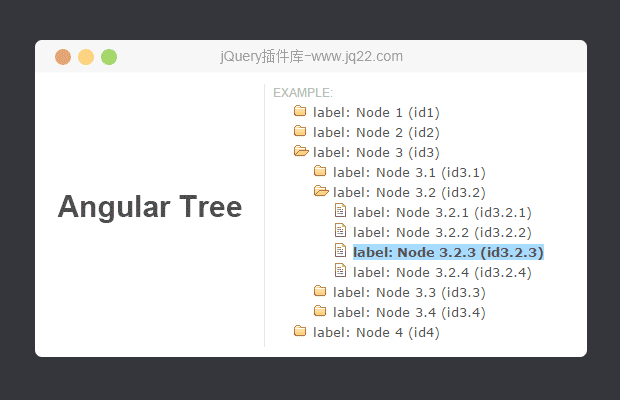


插件描述:Angular JS Tree基于树的控制组件
AngularJS基于树的控制组件

树控件可以作为一个DOM元素或属性。
复制脚本和CSS为你的项目添加一个脚本和链接到你的页面。
<script type="text/javascript" src="/angular-tree-control.js"></script>
<link rel="stylesheet" type="text/css" href="css/tree-control.css">
<link rel="stylesheet" type="text/css" href="css/tree-control-attribute.css">
添加一个依赖于您的应用程序模块
angular.module('myApp', ['treeControl']);将树元素添加到您的模板
<!-- as a Dom element -->
<treecontrol class="tree-classic"
   tree-model="dataForTheTree"
   options="treeOptions"
   on-selection="showSelected(node)"
   selected-node="node1">
   employee: {{node.name}} age {{node.age}}
</treecontrol>
<!-- as an attribute -->
<div treecontrol class="tree-classic"
   tree-model="dataForTheTree"
   options="treeOptions"
   on-selection="showSelected(node)"
   selected-node="node1">
   employee: {{node.name}} age {{node.age}}
</div>
并为树添加数据
$scope.treeOptions = {
    nodeChildren: "children",
    dirSelectable: true,
    injectClasses: {
        ul: "a1",
        li: "a2",
        liSelected: "a7",
        iExpanded: "a3",
        iCollapsed: "a4",
        iLeaf: "a5",
        label: "a6",
        labelSelected: "a8"
    }
}
$scope.dataForTheTree =
[
    { "name" : "Joe", "age" : "21", "children" : [
        { "name" : "Smith", "age" : "42", "children" : [] },
        { "name" : "Gary", "age" : "21", "children" : [
            { "name" : "Jenifer", "age" : "23", "children" : [
                { "name" : "Dani", "age" : "32", "children" : [] },
                { "name" : "Max", "age" : "34", "children" : [] }
            ]}
        ]}
    ]},
    { "name" : "Albert", "age" : "33", "children" : [] },
    { "name" : "Ron", "age" : "29", "children" : [] }
];
样式
树控件呈现以下的DOM结构
<treecontrol class="tree-classic">
  <ul>
    <li class="tree-expanded">
      <i class="tree-branch-head"></i>
      <i class="tree-leaf-head"></i>
      <div class="tree-label">
         ... label - expanded angular template is in the treecontrol element ...
      </div>
      <treeitem>
        <ul>
          <li class="tree-leaf">
            <i class="tree-branch-head"></i>
            <i class="tree-leaf-head"></i>
            <div class="tree-label tree-selected">
              ... label - expanded angular template is in the treecontrol element ...
            </div>
          </li>
          <li class="tree-leaf">
            <i class="tree-branch-head"></i>
            <i class="tree-leaf-head"></i>
            <div class="tree-label">
              ... label - expanded angular template is in the treecontrol element ...
            </div>
          </li>
        </ul>
      </treeitem>
    </li>
  </ul>
</treecontrol>
CSS类用于内置样式的树控件。附加的类可以使用options.injectclasses成员加入(见上文)
树扩展,树倒塌,树叶放在“UL”元素
树枝头,树的叶头-被放置在'i'元素。我们使用这些类来放置树的图标
树选择放置于标签div
PREVIOUS:
NEXT:
相关插件-文件树
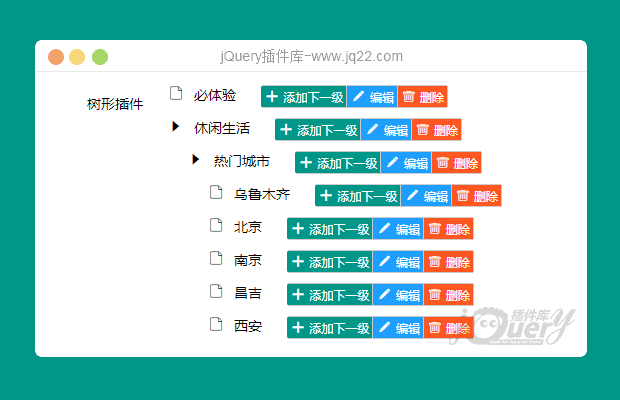
纯javript实用多级目录树结构插件
aimaraJS是一款非常实用的纯javript响应式多级目录树结构插件。该目录树可以动态添加和删除树节点,可以制作多级树结构,每个节点上可以都带有右键上下文菜单,并且每个节点上都
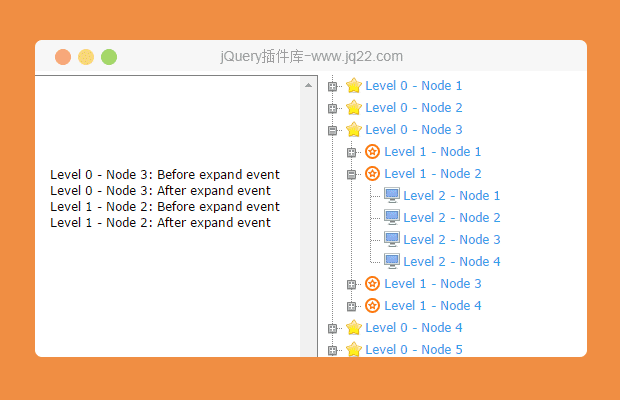
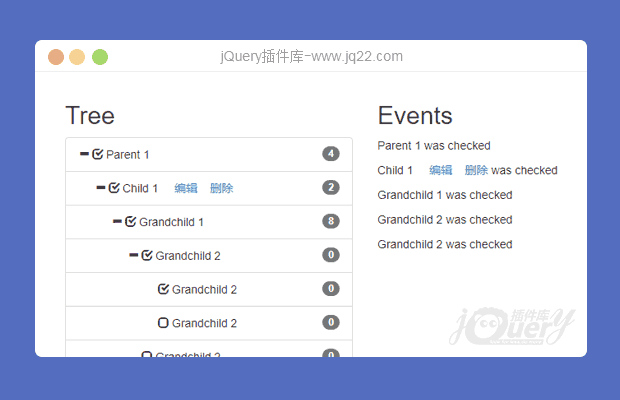
文件树
讨论这个项目(27)回答他人问题或分享插件使用方法奖励jQ币 评论用户自律公约


遇见初心 0
2018/1/23 17:52:40
使用了自定义的treeOptions,会报错:
TypeError: scope.options.equality is not a function;
at link (http://localhost:8092/xtbg/resources/business/ajDirective/ajtree/angular-tree-control.js:382:72)
...
求解,正在排查中
回复

黎明就在眼前! 0
2017/3/27 21:15:08
搞了10天,搞懂了

3!!0
2017/3/30 10:37:18
请问请求的树型结构数据,为什么默认展开不能用呢

达程0
2017/4/14 15:13:50
怎么搞好的,能发个demo吗?1598254567@qq.com
蒲公英っ落在指尖的温度0
2017/4/25 11:29:02
能发个demo吗? 2668397548@qq.com

灿0
2017/9/28 11:53:07
大神,求可用demo,非常感谢!1943163137@qq.com

▲小蟹°c0
2018/6/26 15:22:50
-
怎么搞好的,能发个demo吗?609020840@qq.com

zongzhen 0
2016/5/4 16:05:02
-
请教下,哪个里面可以实现树节点的添加或删除?

Larry Zhu0
2016/9/20 10:09:36
-
同问
杨杨0
2017/6/7 15:40:50
我也想知道啊


I 0
2016/4/21 14:04:20
-
数据过多加载速度满怎么解决,才1000条数据就要加载1分钟左右

你最珍贵0
2016/4/27 16:04:58
-
这个的点击事件怎么做呢?
一只时光静止的章鱼0
2016/5/23 16:05:23
-
我测试的是4层30*30*30*30,81W条数据也就几秒呀= =
😃
- 😀
- 😉
- 😥
- 😵
- 😫
- 😘
- 😡
- 👍
- 🌹
- 👏
- 🍺
- 🍉
- 🌙
- ⭐
- 💖
- 💔
😃
取消回复
- 😀
- 😉
- 😥
- 😵
- 😫
- 😘
- 😡
- 👍
- 🌹
- 👏
- 🍺
- 🍉
- 🌙
- ⭐
- 💖
- 💔
